With AI agents, Power BI custom visuals take days instead of weeks – provided there is a plan. Using a radar chart from a customer project, Michael Wetzel shows why the specification is half the work and how Performance Analyzer narrows down bugs.
Could time series foundation models improve the forecasting of district heating demand? In our offline study, we compared Chronos-2, TimesFM-2.5, and Moirai-2 with AutoARIMA, XGBoost, and other baselines across four real district heating grids. Chronos-2 produced the most accurate results, even in zero-shot settings without target-grid training data. We also examine data efficiency, fine-tuning, resilience to faulty sensor inputs, and operational reliability.
https://www.scieneers.de/wp-content/uploads/2026/10/Masterarbeit-Blog-Post-Bild-scaled.jpg14292560shinchit.han@scieneers.dehttps://www.scieneers.de/wp-content/uploads/2020/04/scieneers-gradient.pngshinchit.han@scieneers.de2026-10-07 18:11:382026-10-07 18:11:38Time Series Foundation Models in Practice
A single mutation in the HBB gene causes sickle cell disease by changing the shape and function of red blood cells. This article explores the biology behind the disease, its connection to malaria, and how CRISPR gene editing therapies such as Casgevy and India’s Birsa‑101 aim to correct the mutation at its source.
https://www.scieneers.de/wp-content/uploads/2026/07/story_sickle_cell_no_title.png10241536Martin Dannerhttps://www.scieneers.de/wp-content/uploads/2020/04/scieneers-gradient.pngMartin Danner2026-07-03 13:29:332026-07-31 14:27:56One Letter That Changes Everything: The Story of Sickle Cell Disease
Every human genome contains millions of genetic variants. Most are harmless but occasionally a single change can cause a serious disease. Finding that one variant is a needle‑in‑the‑haystack problem and increasingly a challenge tackled with machine learning.
https://www.scieneers.de/wp-content/uploads/2026/06/blog_post_genomic_haystack.png10241536Martin Dannerhttps://www.scieneers.de/wp-content/uploads/2020/04/scieneers-gradient.pngMartin Danner2026-06-17 12:01:022026-07-31 14:23:11Finding the Needle in the Genomic Haystack
A personal recap from the Microsoft AI Tour 2026 in Munich, covering Satya Nadella’s keynote, multimodal AI research in healthcare, sovereign cloud architectures, and emerging trends around AI agents, Power Platform, and the revival of Excel as an AI‑driven data interface.
https://www.scieneers.de/wp-content/uploads/2026/03/ms-ai-tour-launch-city.jpg9601472Martin Dannerhttps://www.scieneers.de/wp-content/uploads/2020/04/scieneers-gradient.pngMartin Danner2026-03-13 15:42:092026-03-13 15:48:13Insights from the Microsoft AI Tour 2026 in Munich – Between Vision, Sovereignty and Real‑World Applications
Clarity often only emerges when planning data products or software projects once the development phases have been clearly defined.
Taking a step-by-step approach can gradually reduce uncertainty and align expectations within interdisciplinary teams.
https://www.scieneers.de/wp-content/uploads/2026/02/PoC-vs-Prototyp-vs-MVP-vs-Pilot.png13752385shinchit.han@scieneers.dehttps://www.scieneers.de/wp-content/uploads/2020/04/scieneers-gradient.pngshinchit.han@scieneers.de2026-03-11 08:02:482026-03-13 14:02:31PoC vs Prototyp vs MVP vs Pilot
We all remember the distorted faces and images with varying numbers of fingers that were generated by AI just a few years ago. While most of the results were amusing, they were rather useless for real-world applications. This has changed dramatically, particularly since 2025. The limits of what is technically feasible, and thus the number of possible use cases, are shifting every month. Image generation is becoming faster and cheaper. It can also process more reference images and display text more effectively. Even 4K resolutions and all common image formats are now possible. The pioneers of this revolution are the software giant Google and a comparatively small but powerful start-up from Freiburg. But more on that later.
Together with our client, we implemented a comprehensive project based on image generation technology: an application for creating storyboards – visual representations of stories – with the help of AI. In this blog post, we will share our experiences from this project. We also discuss how the best current models work, provide an overview of the current model landscape, explain how to effectively prompt image models and present other possible use cases.
State-of-the-art (SOTA) image generators commonly use a combination of transformer architecture — which also underpins large language models — and diffusion models. These models generate high-resolution images from random pixel noise, as seen on old TVs with poor reception. Roughly speaking, the process can be imagined as a kind of camera — let’s call it a ‘dream camera‘ for the sake of this example.
Like a real camera, the dream camera starts with a closed lens. This means that no light signal falls on the individual pixel sensors, and only completely random thermal noise signals are generated.
Rather than opening the lens, the dream camera receives a prompt describing the desired image. The dream camera’s internal electronics have been trained using a large number of prompts and finished images, enabling them to gradually transform the random noise into a real image. At each stage, the pixel intensities and colours are adjusted so that the desired image gradually emerges, just as with a real camera where more and more light falls on the sensors during exposure, creating the finished image. The fascinating thing about the dream camera is that its lens was never opened; the image was created solely from the prompt and the training dataset, which shaped the circuits of the dream camera implicitly.
An important improvement on the first diffusion models is flow matching. This method enables the finished image to be created in significantly fewer steps, greatly speeding up the process.
A major disadvantage of diffusion models is that, while they can generate high-resolution images, they lack an understanding of text. To address this issue, innovations in large language models have been utilised. This has resulted in models that can comprehend complex inputs and produce clear images. All this is achieved in one step using natural language.
Model landscape
Judging by performance alone, the top spot is now up for grabs again. Alongside Gemini 3 Pro Image (Nano Banana Pro) and Flux 2, OpenAI’s GPT Image 1.5 has returned to the ranks of the best image generators. Black Forest Labs, the Freiburg-based startup, also offers a strong open-weights variant with Flux 2 Dev. Meanwhile, Chinese models such as Seedream 4.0 and Qwen Image Edit are also gaining ground. OpenAI is thus no longer solely benefiting from its widespread use, but can finally impress again in terms of performance. The passage of time illustrates the great dynamism in model development: Following the hype surrounding GPT Image 1 in April — remember the Ghibli wave? — and a temporary lull, OpenAI has now caught up technologically with its latest update.
Prompting
Anyone who has ever tried to create a specific image using AI will be familiar with the problem of random results. Structured prompting is therefore necessary for professional use.
The basic structure is relatively simple: the more central an element is to the image, the more likely it is to be mentioned in the prompt, and the more detailed its description will be. Less central elements, such as the image background, are described at the end of the prompt with fewer details.
Various terms from professional photography and the film industry can be used to specify the angle and distance of an image.
In addition to perspective, exposure is a particularly important factor in images. Even a small change to the settings can make the whole image look different. The following three images only differ in terms of exposure.
…large floor-to-ceiling windows overlooking a dense metropolitan street filled with electric vehicles and glass skyscrapers. Cinematic lighting, sharp focus on the hologram, shallow depth of field, 8k resolution.
First image + “transform the lighting into twilight lighting“
First image + “transform the lighting into neon lighting“
Colour grading is closely related to lighting. The art lies in selecting colours that achieve the desired visual style. This allows you to give the image a specific look and feel. To illustrate the difference, we have varied the colours of a prompt once again. We also had to change the time of day, otherwise it would not match the colours. When it comes to colour grading, it is usually helpful to provide a more detailed description of the colours.
A young woman standing in a field of wheat at dusk, cool blue twilight atmosphere, desaturated teal and slate gray tones, pale silver sky, cold and melancholic mood, cinematic.
A young woman standing in a field of wheat at sunset, bathed in warm golden hour light, rich amber and honey tones throughout, deep orange sky, everything glowing with warmth, cinematic.
Certain camera settings also make good control terms. For instance, the keyword ‘depth of field’ can be used to specify the desired depth of the camera’s focus. The focal length of the camera lens can also be specified in the prompt to achieve particular perspectives and focal behaviours.
Shallow depth of field
Deep depth of field
200mm telephoto lens
Ultra-wide 14mm lens
In addition to these special settings, it is now possible to dispense with specialised language when providing prompts and simply use natural language, in the same way as one would with large language models. Please note that image models can only cover a certain level of detail. Additionally, the individual parts of the image prompt must fit together. This is particularly problematic when prompts for image generation are generated by LLMs. These can generate instructions that are geometrically impossible for the image model to render. This often results in an incorrect or jumbled image.
A woman standing in the far left corner of a minimalist white gallery … her hand casually resting on a coffee cup placed on a small wooden table in the far right corner.
Furthermore, some keywords are more effective than others; for instance, many models find it easier to adjust the exposure than to accurately represent a camera perspective.
Image generation for the creation of visual storyboards
When converting an existing short story into a visual storyboard, additional context engineering techniques are employed alongside the aforementioned prompting methods. To tell a story visually using a series of images depicting multiple scenes, high-quality individual images and, above all, consistency across the images are required. In a real photo series, the characters naturally all look the same, and the same objects or locations are depicted in the background in an absolutely realistic manner. However, for AI-generated images, this is challenging: each image in the series is generated anew, and the probabilistic nature of the process means that each image initially looks different.
These difficulties can be overcome with the help of an important feature of the latest AI image models. These models can use not only textual prompts, but also reference images as input, and the generated images can reproduce many visual details of the reference images. Currently, this is reliable for around 5–10 images, depending on the use case. This means that the central characters and objects of a short story can always be used as a reference when generating individual scenes.
For our use case, we have created a customised orchestration of various LLM and image model calls that meets our specific requirements. First, a reasoning model — a language model optimised for complex tasks — is used to extract detailed image generation prompts for the main characters in a story. Based on these prompts, an image is generated for each character, serving as a central reference for all scenes in which they appear. We then use the same techniques to generate detailed prompts for each individual scene in the storyboard. Additionally, we establish consistency between the textual descriptions, resulting in subsequent images that appear much more harmonious. In the interface we have developed, users can monitor each step and refine prompts or images individually. This enables minor errors or inconsistencies in the images to be swiftly rectified.
The following story is a modified example, in which little Ben lectures Santa Claus about modern means of transportation:
Technologies used
The application has a modular structure and is deliberately vendor-independent. All calls to reasoning models run via LangChain, enabling rapid model exchange. For image models, we use native APIs from the respective providers. However, our experience has shown that these interfaces are currently changing faster than libraries such as LangChain can keep up with. This results in unnecessary friction during connection.
To facilitate debugging and quality improvement, we trace all generations fully — from storyline parsing and prompt optimisation to the finished image. This makes it possible to trace exactly which prompts and references were used in the event of unexpected results.
Generated images are stored in the cloud in different versions, and references between cast and scene images are retained. Users can upload their own images, which are treated like generated assets and can be used as a reference for subsequent generations.
Limitations
Modern AI image models offer enormous technological potential. However, there are clear limitations and difficulties when it comes to their productive use in our application.
The core problem remains consistency: more complex changes in perspective, such as when a character is seen from the front in one scene and from the side in the next, push current models to their limits. Backgrounds are also difficult to transfer using reference images. However, consistent spaces across a few scenes can be achieved through strong consistency mechanisms in our workflow. However, the longer the desired sequence, the more likely the image models are to produce noticeable artefacts.
Not every use case is suitable. The system works well when no real personalities need to be depicted and the visual relationships remain manageable.
Outlook
Together with our users, we are developing additional workflows and enhancing the existing system to make it more agent-based. The system should be able to respond independently to feedback and improve images iteratively. We are testing ‘LLM-as-a-judge’ approaches, which use the image comprehension capabilities of multimodal language models to automatically detect artefacts and inconsistencies.
Another exciting development for our use case is AI-based video generation. The boundaries of what is possible are shifting rapidly in the field of video modelling. Current models still struggle with the typical challenges of image generation, and moving images require even greater consistency across many frames. We are continuously evaluating the latest models and are optimistic that automated video generation will soon be feasible.
Additionally, image models offer other interesting applications, such as the automated creation of infographics and charts with consistent illustrations, product visualisation for e-commerce — for instance, displaying furniture in various interior styles or clothing in different settings — and the generation of consistent social media content to ensure a uniform brand aesthetic across multiple posts.
https://www.scieneers.de/wp-content/uploads/2026/02/generation-0b7e1601-bb5a-46a3-8ec2-c8fbc34c2c85.png7521328shinchit.han@scieneers.dehttps://www.scieneers.de/wp-content/uploads/2020/04/scieneers-gradient.pngshinchit.han@scieneers.de2026-02-27 16:11:232026-02-27 16:12:31AI Image Generation in Practice
Data science, AI and cloud architectures form the core of our business, but it’s sometimes beneficial to step outside your comfort zone. That’s precisely what our colleague sat scieneers did in mid-December at IT Days 2025 in Frankfurt. We took away ideas from topics such as software architecture, DevOps, agile methods, and digital sovereignty that will directly influence our daily work on scalable RAG systems, clean software architecture, and monitoring.
Large Language Models (LLMs) are powerful, but they operate without real-time access to your data. They struggle with private, changing, or domain-specific information, and they may hallucinate when their training data is incomplete. Retrieval-Augmented Generation (RAG) addresses this by pulling in relevant context from an external data store at query time and feeding it into the model.
To enable fast and context-aware retrieval given a user’s query, most systems rely on semantic search over embeddings. You chunk your documents, embed them into a high-dimensional vector space, and do the same for the user’s query. Similarity search then finds the closest matches. However, semantic search alone has gaps. Rare terms, exact phrases or code snippets are often better handled through keyword-based search. This is why many production setups use a hybrid approach that combines both methods.
A common choice is to use managed vector databases like Pinecone, Weaviate, or Chroma. These work well, but they also add operational overhead: more infrastructure, more APIs to manage, and more cost. For many projects, there is a simpler option. PostgreSQL, together with the pgvector extension, can act as a vector store and handle semantic search directly—while also supporting keyword search via its built-in Full Text Search (FTS) capabilities. Since PostgreSQL is already the primary database in many backends, this approach makes it convenient to keep everything in one place and still support hybrid search efficiently.
This post is a hands-on walkthrough covering three parts:
pgvector adds native vector types and nearest-neighbor search to PostgreSQL, so you can store embeddings next to your relational data and query them with SQL. To use pgvector, enable it once per database:
CREATE EXTENSION IF NOT EXISTS vector;
pgvector supports several vector types with different limits:
VECTOR – up to 2,000 dims
HALFVEC – up to 4,000 dims
BIT – up to 64,000 dims
SPARSEVEC – up to 1,000 non-zero elements
For any embedding model with dimensionality <2k (e.g., OpenAI’s text-embedding-3-small) VECTOR is the default choice. For models that exceed the 2k dims (e.g., OpenAI’s `text-embedding-3-large`), ` HALFVEC` is a straightforward choice which cuts storage roughly in half.
Setting Up a VECTOR Column for Embeddings
For any table, you can add one (or more) vector columns. If you know the embedding dimensionality, it’s best to specify it, which enables early checks and better planning. For example:
CREATE TABLE documents (
    id BI GSERIAL PRIMARY KEY,
    title TEXT,
    content TEXT,
    embedding VECTOR(1536)
);
PostgreSQL does not create embeddings for you. You must compute them using an embedding model and store them in the database (along with the existing data).
Executing a Vector Search
When querying the database, you first calculate an embedding for your query using the same model you used when storing document embeddings. This allows you to compare the query vector against the vectors in your database and retrieve the most relevant matches.
To measure how close two vectors are in this space, several similarity metrics are commonly used:
L2 distance: <->
Inner product (negative, for ASC ordering): <#>
Cosine distance: <=>
L1 distance: <+>
Bit vectors: Hamming <~> and Jaccard <%>
Cosine distance is a good default because it measures directional similarity rather than raw magnitude. Most embedding models produce vectors where direction encodes meaning, and many providers normalize vectors to unit length. Under normalization, cosine, dot product, and L2 distance produce identical rankings, but cosine and dot product are usually faster to compute and less sensitive to differences in vector scale.
Example query:
SELECT id, title
FROM documents
ORDER BY embedding <=> $1  -- $1 is a 1536-dim vector literal like '[...]'
LIMIT 10;
Indexing for performance
Exact vector search provides perfect recall but does not scale well. With large datasets, latency increases because every vector must be scanned. To reduce latency, add an approximate nearest neighbor (ANN) index. pgvector supports two ANN index types: IVFFlat (inverted file with flat compression) and HNSW (hierarchical navigable small world).
IVFFlat partitions the vector space into clusters (so-called lists). At query times, only the most similar lists are searched. It builds quickly and uses modest memory, but recall is lower than with HNSW. Build the index after loading representative data, choose the number of lists when creating the index, and tune ivfflat.probes – which controls how many of those clusters are searched – per query to balance recall and speed.
CREATE INDEX ON documents
USING ivfflat (embedding halfvec_cosine_ops) WITH (lists = 100); -- per-query recall/speed trade-off
SET ivfflat.probes = 10;
Rules of thumb: start with lists = rows / 1000 up to 1M rows and sqrt(rows) above that; set probes ≈ sqrt(lists).
HNSW creates a multi-layer graph structure where each vector is connected to several neighbors. Queries navigate from coarse upper layers down to more detailed lower layers, which makes lookup fast while keeping recall high. It generally performs well for read-heavy workloads but uses more memory and takes longer to build than IVFFlat. It does not require a separate training step.
You control index quality and resource use with two build-time parameters:
m: how many connections each node keeps. Higher values improve recall but increase memory.
ef_construction: how broadly the index searches for neighbors during build. Higher values improve graph quality but slow indexing
At query time, you tune:
hnsw.ef_search: how many candidate neighbors are explored. Higher values increase recall but slow queries.
CREATE INDEX ON documents
USING hnsw (embedding halfvec_cosine_ops)
WITH (m = 16, ef_construction = 64);
Which to choose? Use HNSW if you want the best recall and lowest latency and have memory to spare. Use IVFFlat if you need faster builds or tighter memory usage. With both index types, keep ORDER BY … LIMIT in your query so the planner can use the index.
With vector search in place, we can add keyword-based retrieval using PostgreSQL’s native Full Text Search (FTS). FTS is well-suited for exact terms, rare words, or code snippets— making it a useful complement to embeddings in a hybrid search setup.
Setting Up a TSVECTOR Column for Searchable Text
PostgreSQL stores searchable text in a TSVECTOR, which contains normalized lexemes and optional positional data. For example:
“Learn how to use tsvector and tsquery” → ‘learn’:1 ‘use’:4 ‘tsvector’:5 ‘tsquery’:7
The functions to produce and query these vectors are built in. Precompute the TSVECTOR and store it in the table to avoid recomputing on every query. A generated stored column keeps it in sync.
This example above uses the ‘simple’ text search configuration (no stemming or stopwords removal) to generate the TSVECTOR. PostgreSQL also offers language-specific analyzers (english, german, etc.) which handle stemming and stopword removal for that specific language.
To list all supported languages execute:
SELECT cfgname FROM pg_ts_config;
For multilingual data, you can also store a per-row language and call to_tsvector(ts_config, text).
Weighting
PostGreSQL also supports weighting fields differently (e.g., title > body) using weighted vectors:
ALTER TABLE films
ADD COLUMN search_vector tsvector
GENERATED ALWAYS AS (
setweight(to_tsvector('english', title), 'A') ||
setweight(to_tsvector('english', description), 'B')
) STORED;
The default weight array used by PostGreSQL is {D=0.1, C=0.2, B=0.4, A=1.0} but can be changed during query time.
Indexing
PostgreSQL supports two index types for Full Text Search: GIN (Generalized Inverted Index) and GiST (Generalized Search Tree).
GIN stores a true inverted index: for each lexeme, it keeps a list of document references (and optional positions). This makes containment checks (which documents contain a given keyword) fast and exact. The trade-offs are a larger index on disk and slower writes, because updates must maintain these posting lists. This is usually acceptable for read-heavy workloads, and GIN remains the standard choice for most text search scenarios.
GiST works differently. Instead of storing full posting lists, it compacts each tsvector into a small bitmask called a signature. These signatures summarize which lexemes appear in a document, but they are not perfectly precise. Because different documents can produce the same bit pattern, GiST may return rows that only might match, and PostgreSQL must recheck the underlying tsvector. The benefit is a smaller index that is faster to build and cheaper to update. The cost is occasional false positives and slower complex queries.
Which to choose? Choose GIN when you want fast, accurate text search and can afford slightly slower index maintenance. Choose GiST when you have many writes, frequent updates, or limited storage and can tolerate a recheck step.
Example:
CREATE INDEX idx_products_search_vector_gin ON products USING GIN (search_vector);
CREATE INDEX idx_products_search_vector_gist ON products USING GIST (search_vector gist_tsvector_ops);
Executing a Full-Text Search
To run a full-text search in PostgreSQL, you first convert your raw text query into the TSQUERY format. A TSQUERY is the query representation used by PostgreSQL to match against TSVECTOR columns, like how an embedding vector is used to query a vector index. The TSQUERY defines the search terms and logic, and PostgreSQL uses it to check which documents match.
Converting input to a TSQUERY is more involved than vector search. For embeddings, you compute a vector once and search with it. For keyword search, you must decide how to turn a natural language query into a meaningful TSQUERY. Raw queries from users or from an LLM in a RAG system are usually not optimized for keyword search.
The simplest conversion is plainto_tsquery. It normalizes the text, removes stopwords, and lemmatizes terms, but it always produces an AND query. All terms must appear in the document. This is often too strict in practice.
SELECT plainto_tsquery('english', 'deep learning models'); -- 'deep' & 'learn' & 'model'
If you need broader recall, there are two alternatives:
Post Processing: Improve the query before calling FTS. You can apply your own heuristics or let an LLM shape the query (e.g., if used as a tool). PostgreSQL provides websearch_to_tsquery, which accepts a Google-style syntax and never errors on malformed input. This is useful when the query is already processed.
Convert the AND query to OR: Generate the TSQUERY with plainto_tsquery (as shown above) to benefit from parsing and normalization, then replace & with |. This is a small “hack” to widen the match set with no extra latency, no LLM calls, and no custom heuristics, but should be used with caution. OR queries can become overly broad, especially if the input contains terms that are not removed as stopwords. In the worst case, almost all documents match, reducing the value of the filter step. It is a quick fix to increase recall, but it can weaken filtering significantly.
Given the computed TSQUERY, a full-text search query runs in two steps. First, you filter rows using the TSQUERY and the @@ operator which benefits from FTS index. It determines which documents match at all. Second, the matching rows are ranked by relevance. Ranking is slower than indexed filtering, so even though the first step is technically optional, it is recommended to keep the match set small to minimize latency during ranking.
PostgreSQL provides two functions to compute a relevance score: ts_rank and ts_rank_cd. Both take a TSVECTOR (document) and a TSQUERY (query) and return a numeric score, where higher means a better match.
ts_rank scores documents based on term frequency and optional weights. More occurrences of query terms increase the score, but with diminishing returns. Very frequent terms are discounted, so they do not dominate.
ts_rank_cd includes everything from ts_rank but adds cover density. It considers how close the query terms appear to each other. Documents where terms occur in a tight span receive a higher score than those where terms are far apart. This usually improves ranking for multi term queries, because clustering signals a more relevant context. The extra logic makes ts_rank_cd slower, as it must examine positional data. For short documents or one-word queries, the difference is small. For longer documents or multi-term queries, ts_rank_cd typically yields better ranking.
Both functions support a normalization bitmask to adjust raw scores. Normalization can reduce bias towards long documents and scale scores into comparable ranges. Bit 1 divides by 1 + log(document_length) and bit 2 divides by document length, both reducing length bias. Bits 4 and 8 consider the number of unique terms for scaling. Bit 32 is common in practice and maps scores to score / (score + 1), producing values between 0 and 1.
To summarize, a typical full-text search combines filtering with @@ and ranking with ts_rank or ts_rank_cd. The filter uses the FTS index to select candidates quickly, and ranking then orders only those matches. An example might look as follows:
SELECT id, title, ts_rank_cd(search_vector, query, 32) AS score
FROM products
WHERE search_vector @@ query
ORDER BY score DESC
LIMIT 10;
Hybrid Retrieval: Combining pgvector and FTS
Now that you have both vector search and keyword-based search in place, you can combine them to improve result quality. Hybrid search fuses semantic matches from pgvector with keyword matches from Full Text Search. You run two independent queries—one vector search and one FTS search—and then merge the results. Both queries can be executed in parallel.
Reciprocal Rank Fusion (RRF) combines the two result lists by assigning a score based on each document’s rank in the individual lists and summing them. It is popular in many retrieval setups because it is simple, rank-based, and robust to outliers.
Where:
r = rank position of document d in a result list (1 = best)
R_d = set of ranks for d across all lists
k = constant to smooth the contribution of lower-ranked results.
The value of k is commonly set to 60 based on empirical evaluation in the information retrieval literature, where it produced stable performance across benchmarks without tuning. Larger values reduce the influence of tail results, ensuring top-ranked documents dominate the fused score.
Overall, RRF avoids the need to calibrate or normalize scores from different search methods. It is a practical default when combining vector and keyword search.
When powering a RAG system from PostgreSQL, you often store user-specific data alongside shared content. A vector search alone does not guarantee isolation: without additional rules, embeddings and text rows from different users can surface in results. To prevent cross-user leakage and ensure each query only returns data the caller is allowed to see, you enforce access control at the table level.
Row-Level Security (RLS) is a feature in PostgreSQL that allows fine-grained control over which rows each user or role can access or modify. RLS enforces restrictions within a table, ensuring each query only sees the rows it’s permitted to see.
One of the primary advantages of RLS is that access rules are enforced directly in the database, rather than scattered throughout application code. This centralization means there’s one place (the database table policy) to define and maintain your security logic, reducing the chance of an application bug exposing data (for example, a missing filter in an API endpoint). If RLS is properly configured on a table, every query (SELECT, UPDATE, DELETE) executed by non-privileged roles will automatically include the security filter, so you cannot bypass it with a badly written query.
Enabling and Applying Row-Level Security Policies
RLS is implemented through policies defined on tables. By default, tables have no RLS policy, so if a user has SELECT access, they can see all rows. Once RLS is enabled, PostgreSQL requires each row to pass a policy check before it can be returned or modified. If RLS is enabled and no policy exists, PostgreSQL defaults to “deny all,” meaning no rows are visible or editable until a policy is added.
Enabling RLS on a table is done with the following command:
ALTER TABLE my_table ENABLE ROW LEVEL SECURITY;
After enabling it, you create one or more policies using CREATE POLICY. A policy defines a boolean expression that filters rows for specific operations (SELECT, INSERT, UPDATE, DELETE) and can apply to particular roles or to PUBLIC (all roles). For example, to restrict selects on a documents table to rows where owner_id matches the current user’s ID, you might write:
CREATE POLICY docs_select_own ON documents
FOR SELECT
USING (owner_id = current_setting('app.user_id')::int);
For write operations, consider WITH CHECK clauses on INSERT and UPDATE policies to ensure users cannot create rows that would later be invisible to them.
Important: RLS works alongside PostgreSQL’s regular permission system. It does not replace it. A user must still have the appropriate table privileges (granted via GRANT) to perform operations. RLS then adds an additional filtering layer on top. For example, you might GRANT SELECT ON documents TO app_user_role, giving that role general read access, but RLS policies will determine which rows are actually visible. If a user has no SELECT privilege, RLS does not grant it; they simply cannot query the table.
Privilege Behavior Under RLS
Superusers and roles with the BYPASSRLS attribute skip row-level security checks entirely. The owner of a table is also exempt by default, since owners are typically administrative roles. As a result, if your application connects as the table owner or as a superuser, RLS policies will not be enforced for that session.
To ensure RLS applies, use a dedicated non-owner role for your application to connect. For example, create an app_user role with limited privileges and have the application authenticate as that role. Grant access to the required tables, but do not grant ownership. In that configuration, RLS policies will be evaluated as intended.
Permissive vs. Restrictive Policies
PostgreSQL policies are permissive by default. Multiple permissive policies on a table are combined with logical OR — if any policy allows access, the row is accessible. This makes permissive policies suitable for broad, general rules.
For example, you might define a permissive policy covering all operations (*) that allows each employee to read and update documents within their own organization:
CREATE POLICY docs_org_policy ON documents
FOR ALL
USING (org_id = current_setting('app.org_id')::int);
In some cases, you need stricter rules for certain operations. Restrictive policies address this. Restrictive policies are combined with logical AND — all restrictive conditions must pass, in addition to any permissive policy.
For example, to ensure only the document owner can delete their own document, you can define a restrictive policy for DELETE:
CREATE POLICY docs_delete_own ON documents
AS RESTRICTIVE
FOR DELETE
USING (owner_id = current_setting('app.user_id')::int);
This combination allows layered access control: permissive policies define the baseline, while restrictive policies tighten constraints on sensitive operations.
PostgreSQL can serve as a practical vector store for RAG systems by combining pgvector for semantic retrieval with Full Text Search for keywords. Simple fusion methods such as Reciprocal Rank Fusion improve result quality without complex score calibration, and both searches can run in parallel. Row-Level Security then prevents cross-user leakage by enforcing access rules inside the database engine. Together, these features let you build a retrieval pipeline on familiar infrastructure with tunable performance, centralized authorization, and minimal operational overhead.
https://www.scieneers.de/wp-content/uploads/2025/12/blog_image-1-scaled.png14452560Arne Grobrueggehttps://www.scieneers.de/wp-content/uploads/2020/04/scieneers-gradient.pngArne Grobruegge2025-12-10 13:20:182026-01-14 08:20:06From Zero to Hero: Implementing RAG using PostgreSQL
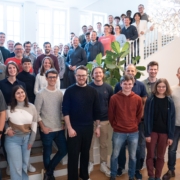
Once again, the team took centre stage. All scieneers from Karlsruhe, Cologne and Hamburg came together for a two-day autumn event at the end of September. As well as having some exciting discussions and taking part in some joint activities, we also welcomed five new colleagues. We are now a team of around 50 people!
https://www.scieneers.de/wp-content/uploads/2025/10/S4100449-scaled.jpg14402560shinchit.han@scieneers.dehttps://www.scieneers.de/wp-content/uploads/2020/04/scieneers-gradient.pngshinchit.han@scieneers.de2025-10-08 16:20:152026-01-14 08:19:20Throwback to our fall event 2025